STROLL
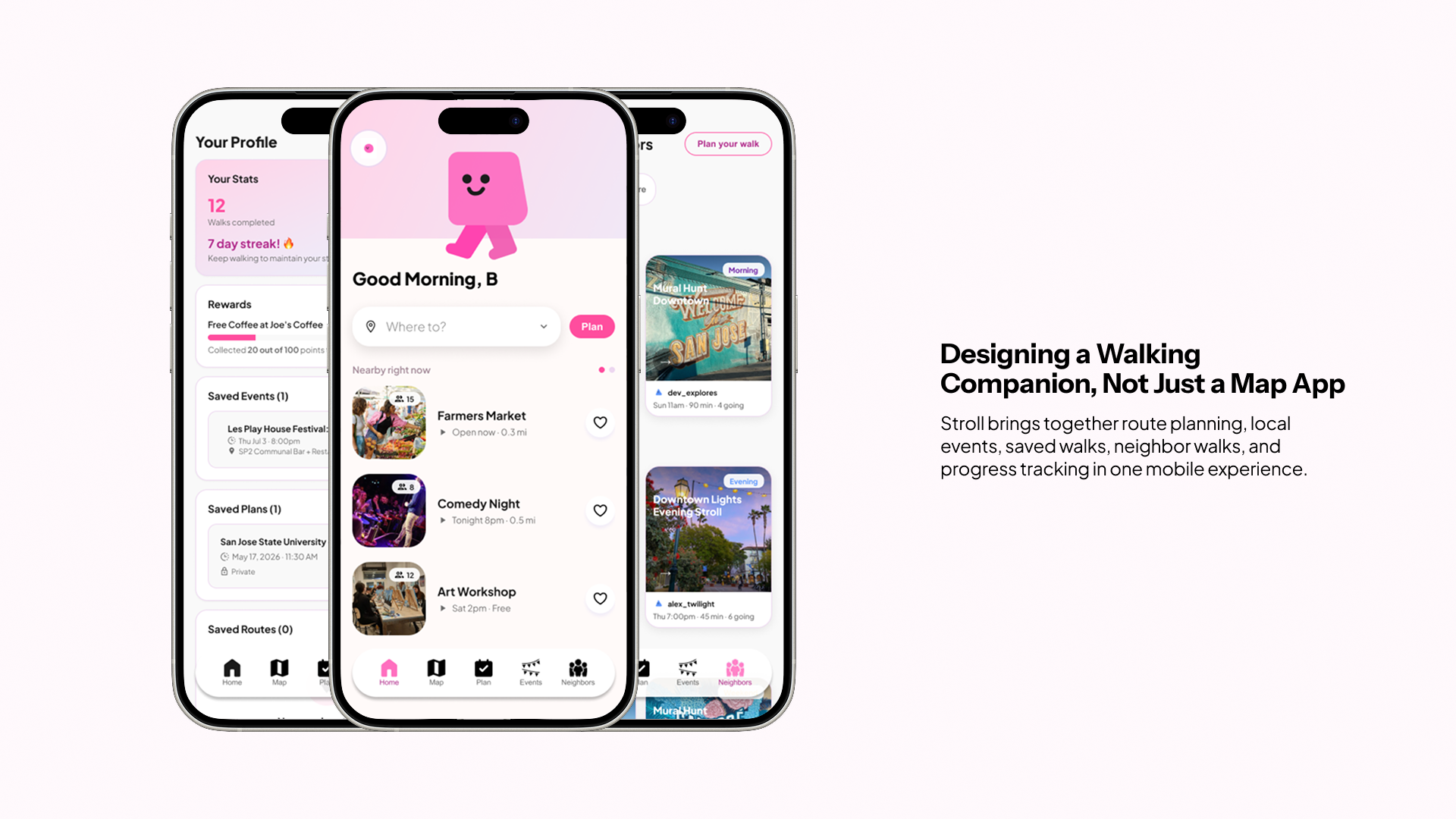
Stroll is a mobile app designed to help people feel safer, more confident, and more connected while walking through Downtown San José. The project explores how walking can become more than a navigation task by combining route planning, local events, neighbor walks, nearby attractions, and lightweight safety tools.
Many navigation apps focus on speed and efficiency. They help users get from one place to another, but they rarely account for how a route feels. A route may be short, but still feel isolated, unfamiliar, or uncomfortable depending on the time of day, the amount of foot traffic, nearby activity, and whether the user is walking alone.
Stroll imagines a more human-centered walking experience. Instead of only asking where a user wants to go, the app also considers how they want to get there: directly, through a lively route, through a scenic route, toward an event, or with neighbors nearby.
The final prototype includes a redesigned mobile app experience, visual identity, route planning system, event discovery flow, neighbor walking feature, and safety support interactions. The app was also vibe coded using Claude, allowing the concept to move from research and design into a functional prototype.
See what it's like to use Stroll
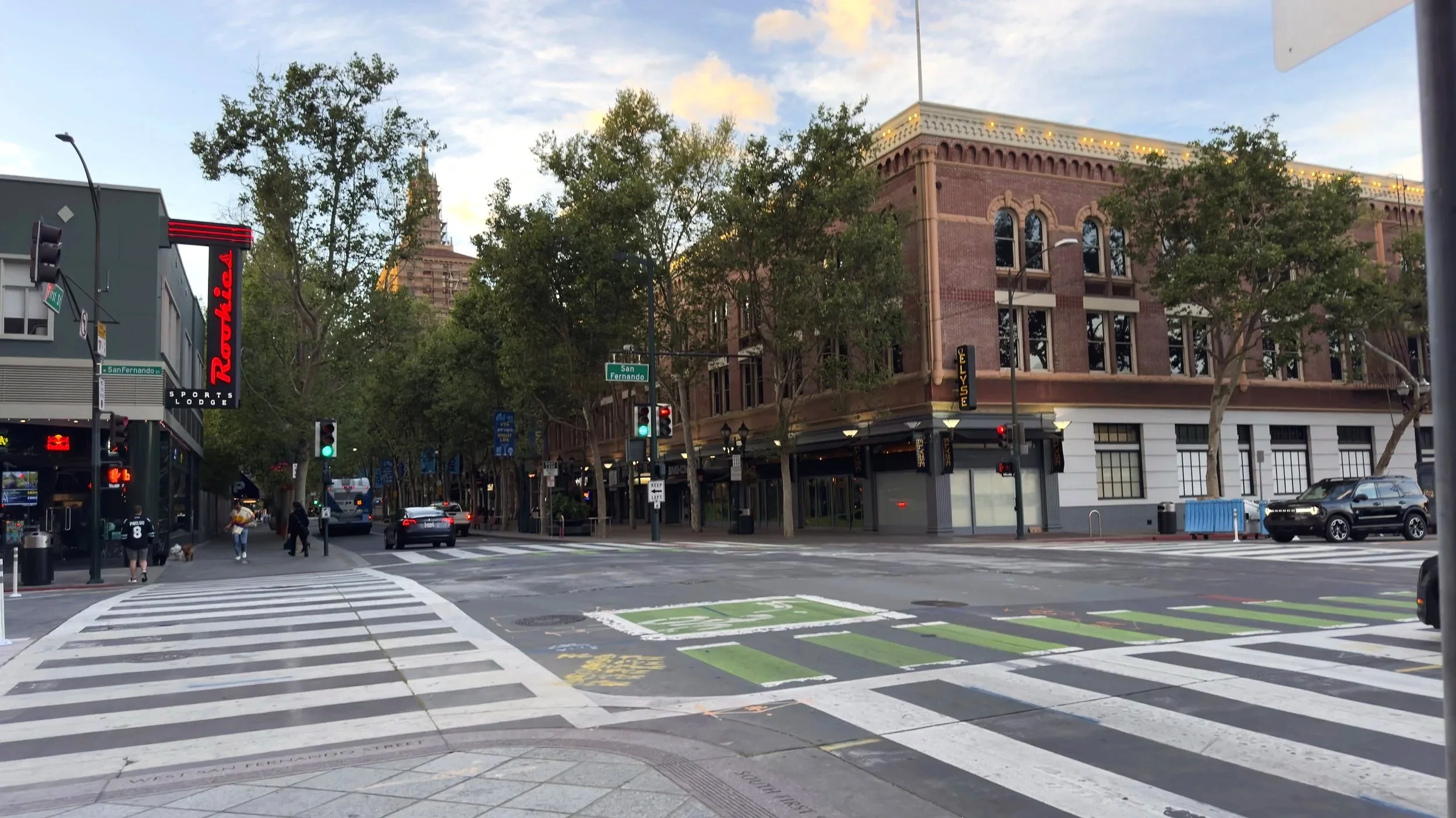
Downtown San José is walkable, but walkability is not only about sidewalks and distance. People also make walking decisions based on comfort, safety, time, familiarity, visibility, and whether the area feels active.
A person may want to walk from San José State University to the Tech Museum, a local market, a café, or an event nearby. On a map, this may look simple. In real life, the user might still wonder:
Is this route active? Will there be people around? What is nearby if I want to stop? Can I walk with someone else?What can I do if I feel uncomfortable?
This project began from the idea that walking through a city is both physical and emotional. The goal was to design a walking app that supports confidence, reassurance, and community connection.
TARGET USER & NEEDS
The primary users are people who walk through Downtown San José and want more context, confidence, and flexibility when planning a route.
This includes:
Students walking around San José State University.
Young professionals moving between work, events, cafés, and transit.
People who enjoy local events but may not always want to walk alone.
New residents or visitors who are unfamiliar with Downtown San José.
People who want to explore the city but prefer routes that feel active, social, or scenic.
Users who value safety tools but do not want the experience to feel fear-based.
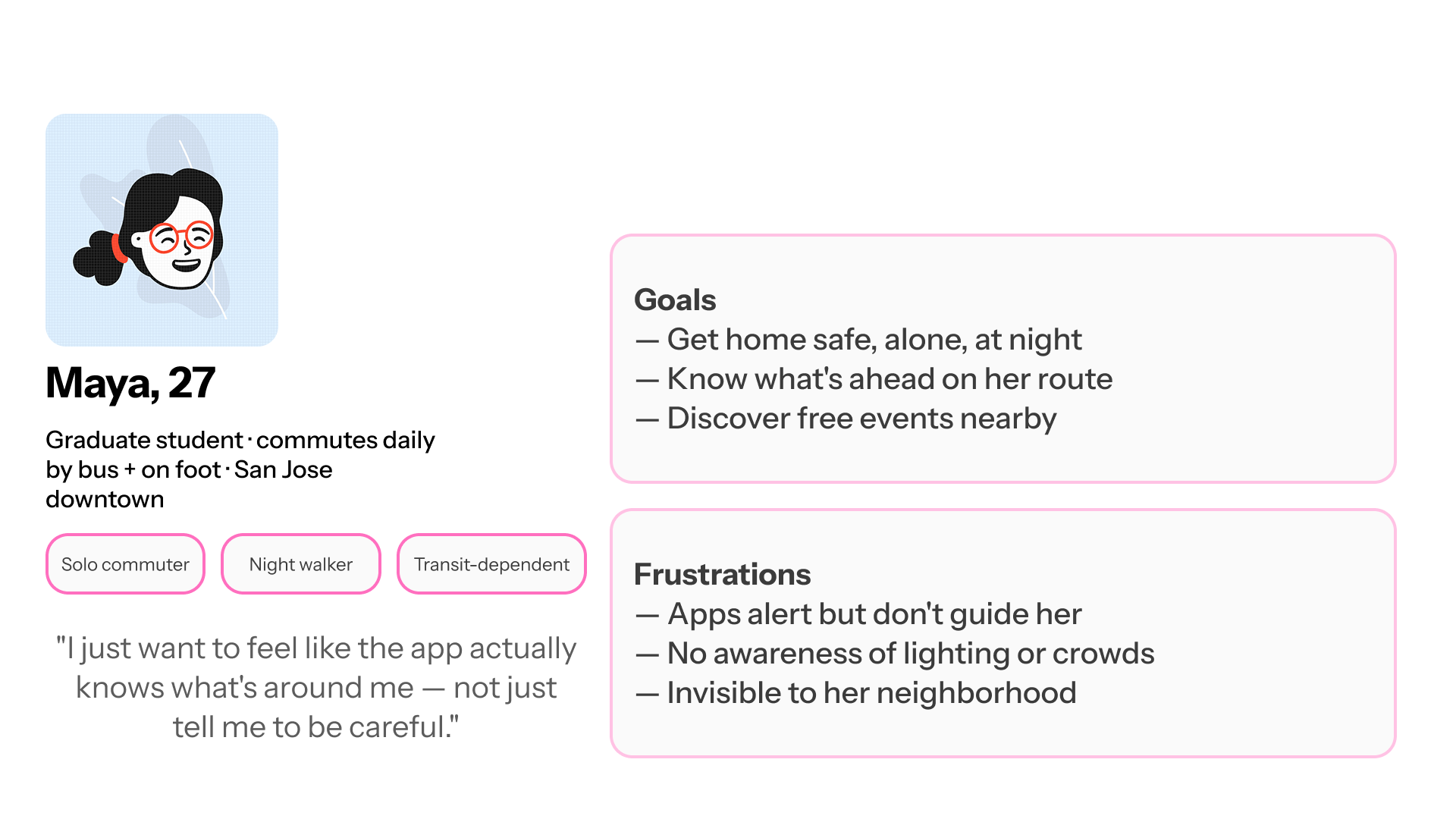
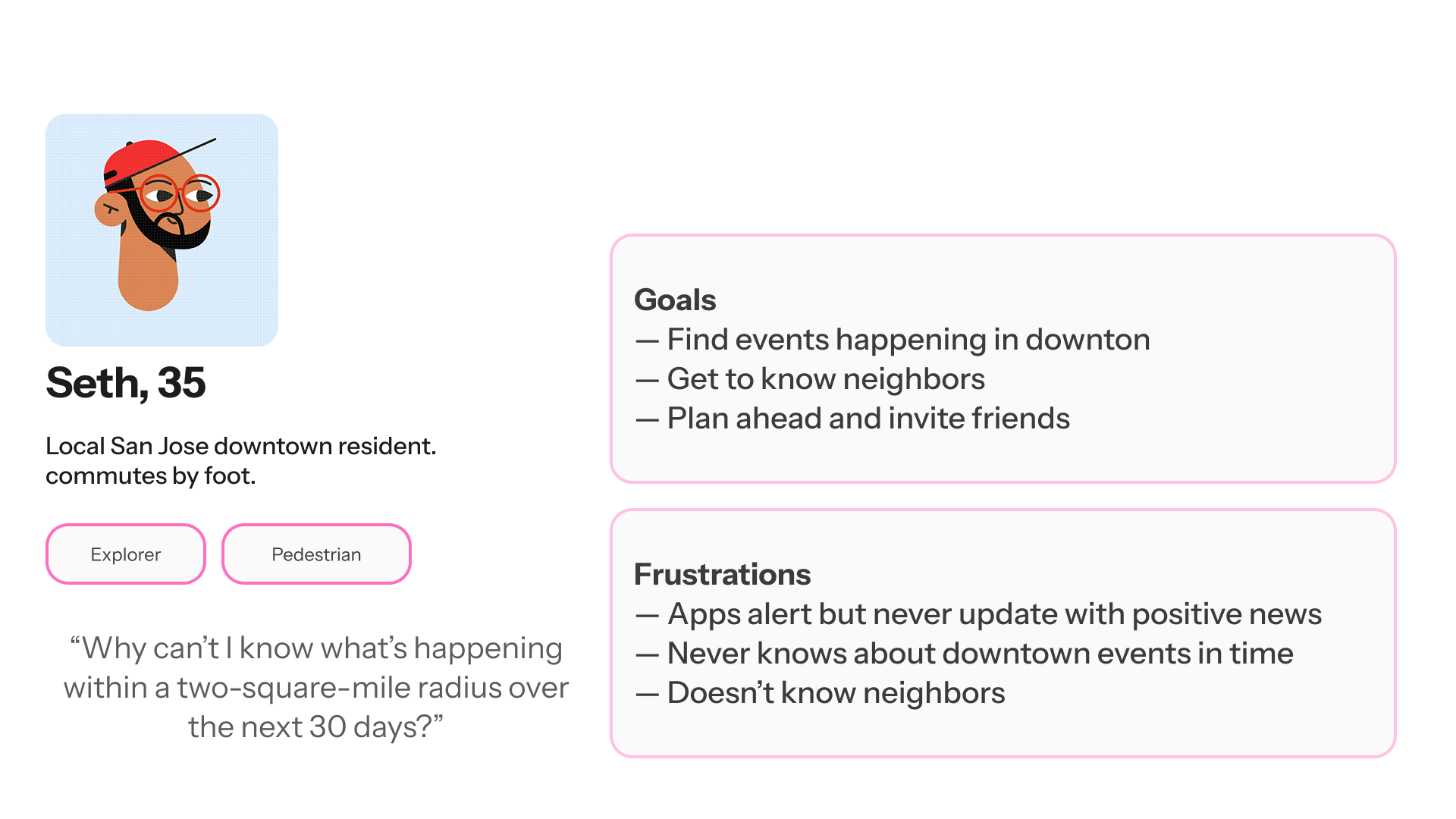
Users need a walking experience that feels:
Safe
The app should help users understand route options and access support if they feel uncomfortable.
Contextual
Users need to know what is around them, not just how long the walk will take.
Flexible
Different users may prefer different types of routes depending on time, mood, safety, or purpose.
Social
Some users feel more comfortable walking with neighbors or toward community events.
Simple
Planning a walk should feel quick and clear, not overloaded with complex settings.
Reassuring
Safety features should be easy to access without making the entire app feel alarming.
Local
The app should help users discover events, shops, attractions, and points of interest around their route.
Stroll is especially relevant for users who want walking to feel more intentional, supported, and connected to local life.
POV
A person walking through Downtown San José needs a way to choose routes based on comfort, safety, nearby activity, and social presence because the fastest path is not always the path that feels best.
HOW MIGHT WE QUESTIONS
How might we help users choose walking routes based on comfort, not just speed?
How might we make a route feel more familiar by showing what is nearby?
How might we connect walking with local events and community activity?
How might we support users who do not want to walk alone?
How might we make safety features accessible without making the experience feel fear-based?
How might we help users feel more agency before and during a walk?
INTERVIEW ANALYSIS
The research and interview synthesis revealed several key patterns.
-
Users often consider more than time. A short route may feel uncomfortable if it passes through quiet, unfamiliar, or empty areas. A slightly longer route may feel better if it has more people, shops, lighting, or landmarks. This insight led to the route type system: shortest, lively, and scenic.
-
A route feels less intimidating when users can see familiar or useful places around it. Nearby cafés, shops, museums, restaurants, and public spaces can make the walk feel more active and easier to navigate. This insight shaped the nearby attractions and points-of-interest feature.
-
Local events, neighbor walks, and shared destinations can make walking feel less isolated. A walk to a farmers market or festival feels different from walking alone through an unknown area. This insight led to the “Walk to events” and “Walk with neighbors” features.
-
Users may want access to help, but they do not want an app that makes them feel like they are in danger from the start. Safety support should be visible, simple, and calm. This insight shaped the “Share Your Location” and “Help Me” interactions during an active route
-
Because Stroll includes social walking and location sharing, users need control over whether a walk is private or public. Community features can only feel safe if users decide when and how they participate. This insight led to the private/public toggle in the planning flow.
DESIGN GOAL
The goal was to design a walking experience that helps users feel prepared, connected, and supported before and during a walk.
Stroll asks:
What kind of walk do you want to take? Do you want the shortest route? Do you want a lively route with more activity? Do you want a scenic route? Do you want to walk to an event? Do you want to walk with neighbors? Do you want your walk to be private or public? Do you want safety support available along the way?
EXISTING SOLUTIONS
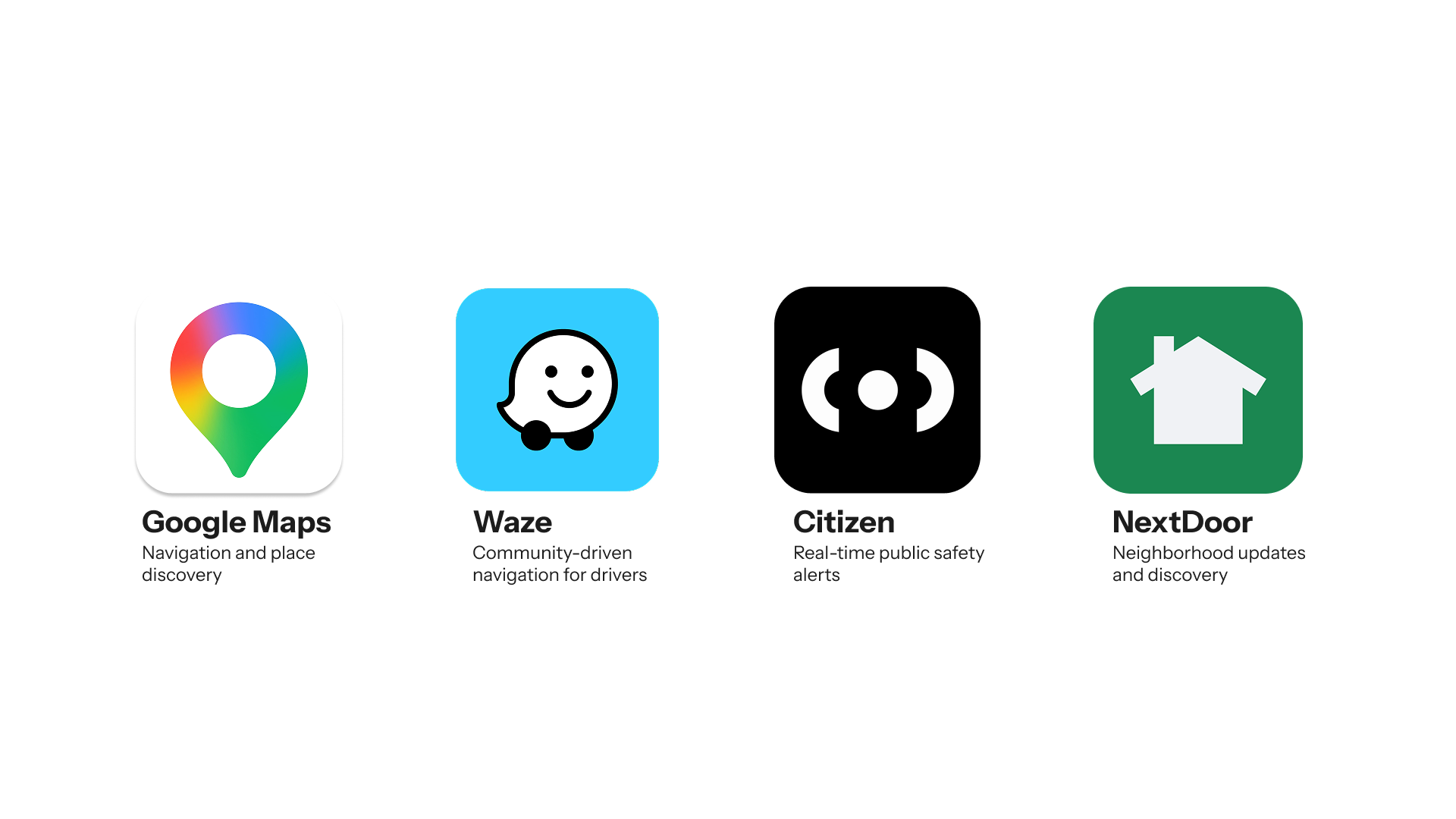
Before designing Stroll, I analyzed existing navigation, neighborhood, and safety platforms to understand how they support urban walking. While these products solve important problems individually, none combine navigation, community, and perceived safety into a single walking experience.
This analysis revealed an opportunity to design a product that focuses not only on helping users reach a destination, but also on helping them feel more confident, connected, and supported while exploring the city.
SOLUTION
Stroll is a mobile walking app that helps users plan safer and more connected walks through Downtown San José.
A user can create a walk by pairing:
a starting point
a destination
a departure time
a privacy preference
a route type
nearby points of interest
local events
neighbor walks
safety support tools
When the user begins a route, Stroll shows nearby attractions, route progress, help options, and location-sharing actions. The experience is designed to make walking feel more informed, social, and reassuring.
KEY FEATURES
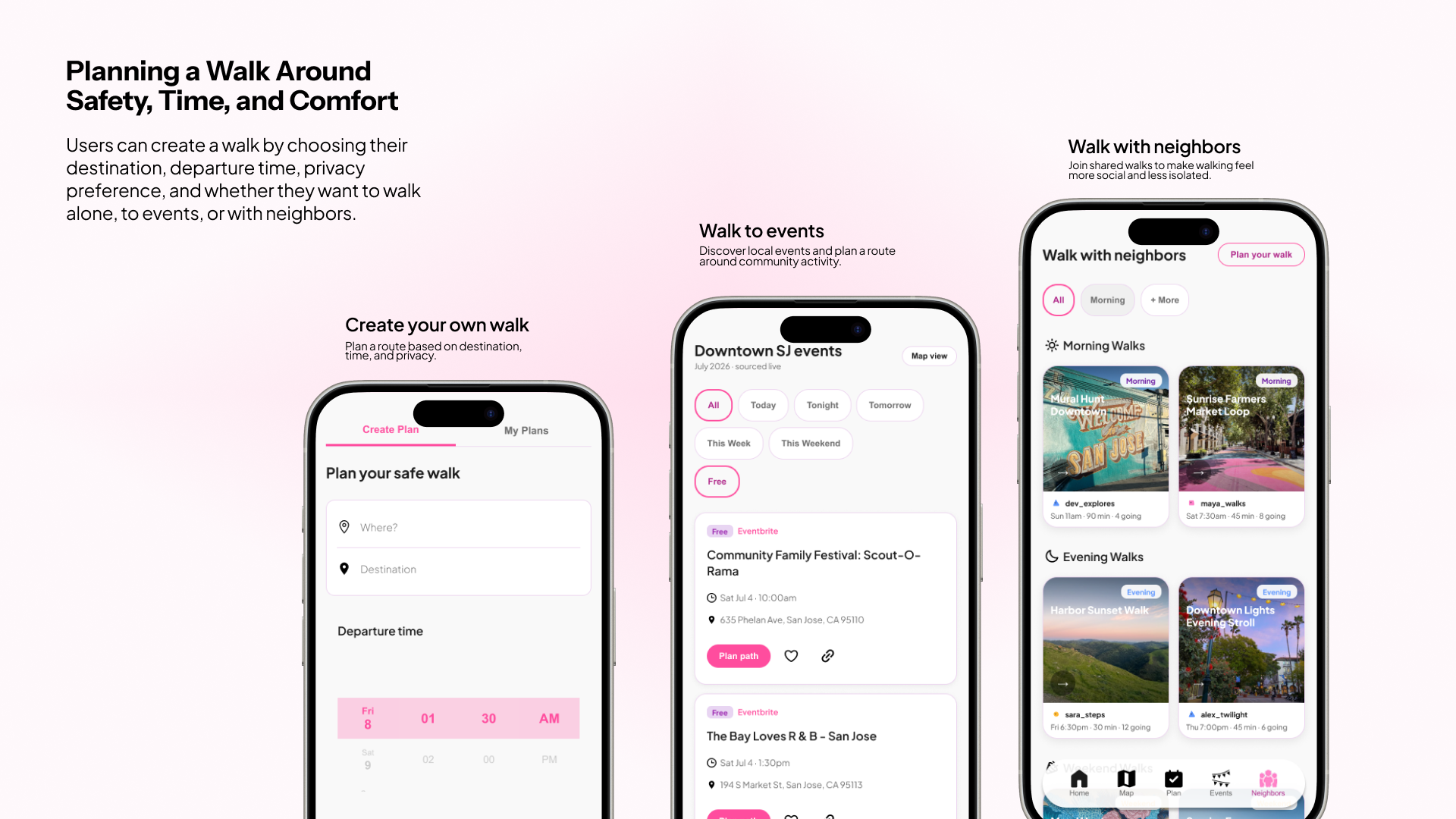
Planning a Walk Around Safety, Time, and Comfort
Users can plan their own walk by selecting a starting point, destination, departure time, and privacy preference. This gives users a sense of control before they begin moving through the city. The planning flow supports different levels of comfort by allowing the user to decide whether the walk is private or public.Walk to Events
Stroll helps users discover local events in Downtown San José and plan routes directly from event cards. This feature turns walking into a way to participate in the city. Instead of only using the app when they already have a destination, users can find a reason to walk through nearby festivals, markets, performances, and community activities.
Walk With Neighbors
Users can join shared walks with nearby people or community members. The feature is designed for users who may not want to walk alone or who feel more comfortable when there is social presence around them. Walks are grouped by time of day, making it easier to scan options and choose a walk that fits the user’s schedule.
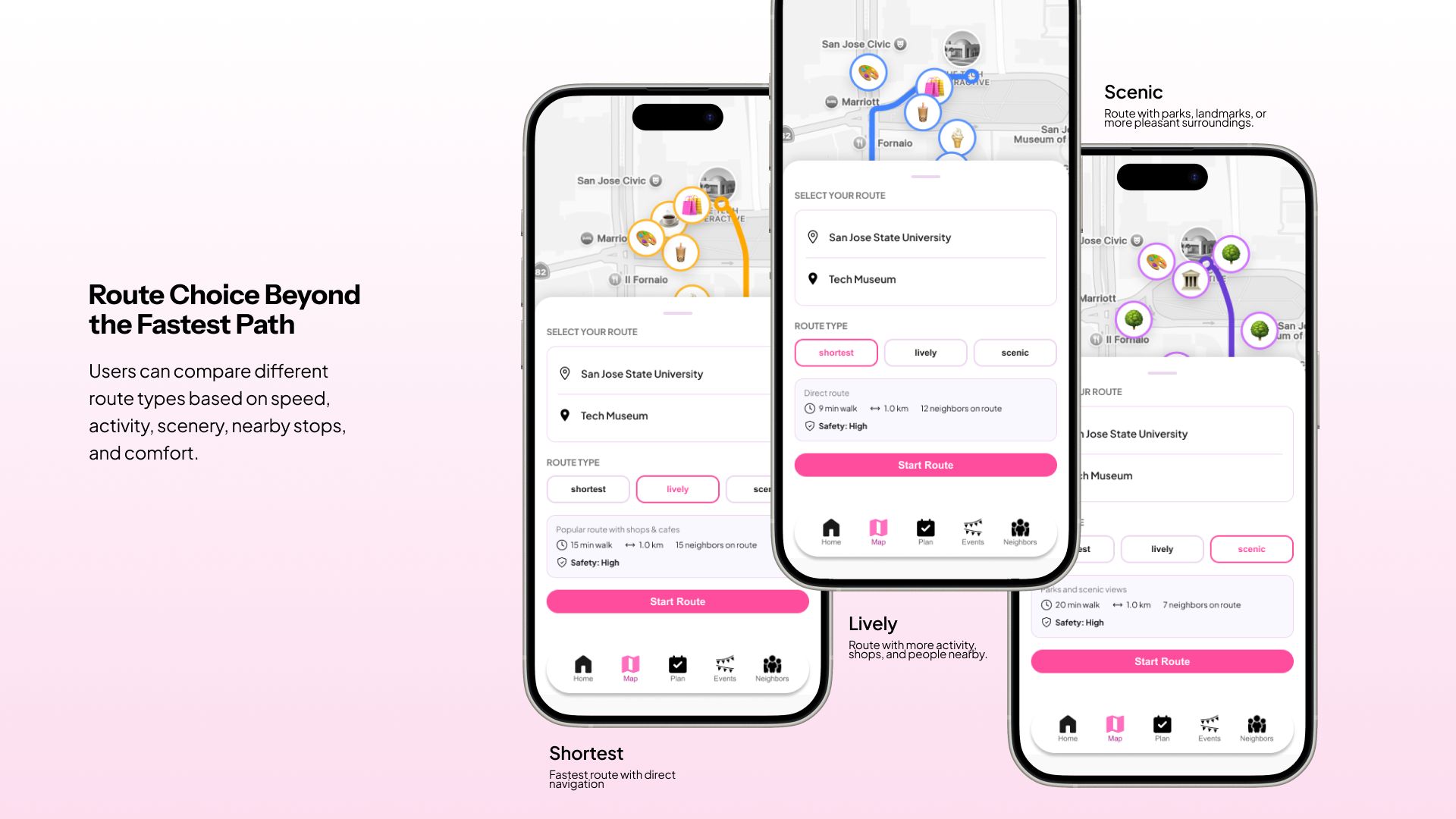
Route Choice Beyond the Fastest Path
Stroll gives users three route types:
Shortest
A direct route for users who want to get there quickly.
Lively
A route with more shops, activity, people, and public presence.
Scenic
A route with parks, landmarks, or a more pleasant walking experience.
Nearby Attractions and Points of Interest
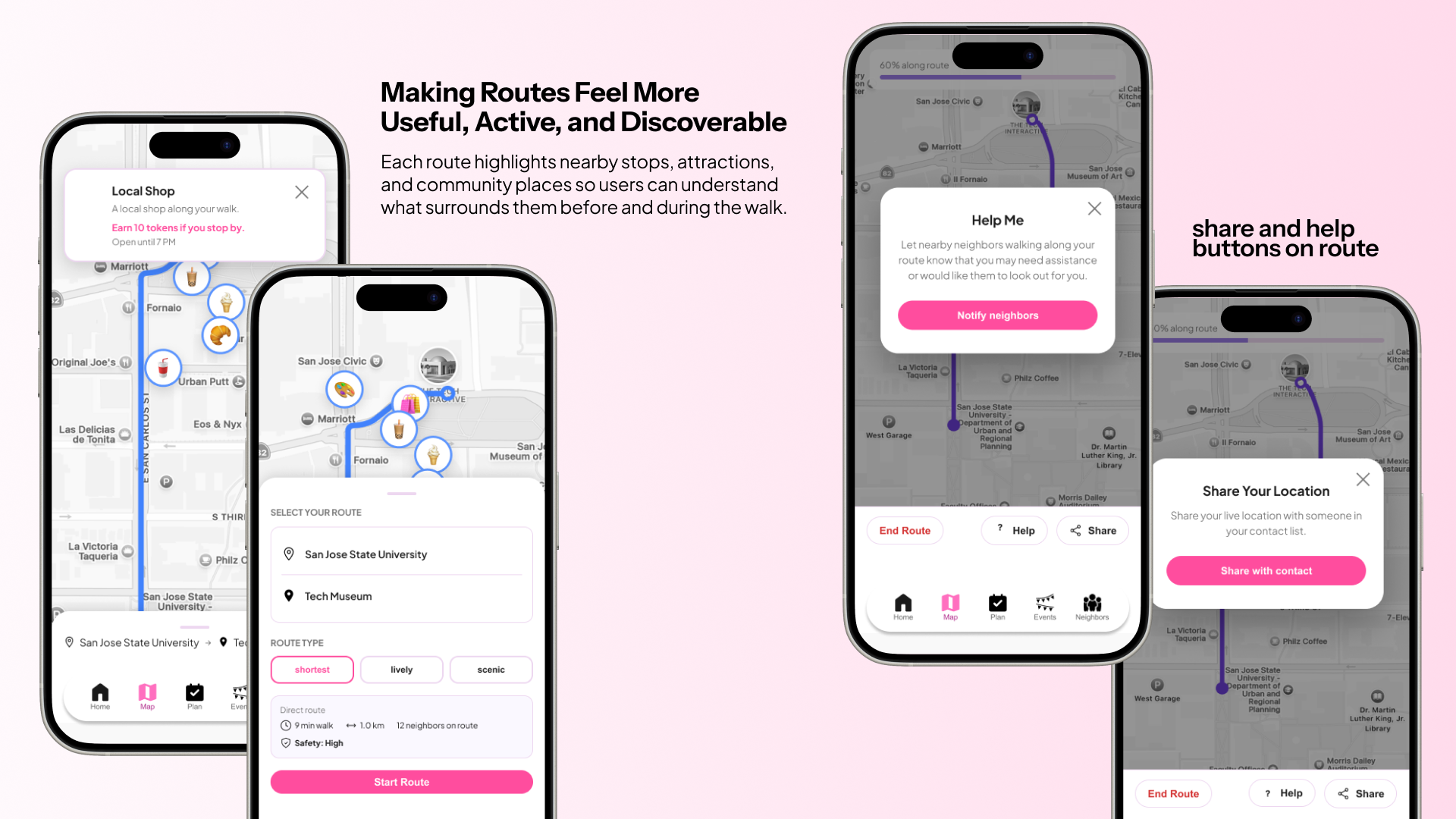
Each route shows nearby stops, attractions, shops, and places of interest.These details help users understand what surrounds them before and during the walk. A route with visible stops feels less empty and more familiar. It also creates small moments of discovery along the way.
Saved Plans, Rewards, and Progress
The profile screen lets users track completed walks, streaks, saved events, saved plans, and rewards. This gives the experience continuity beyond one route. Walking becomes something users can return to, build on, and connect with local places over time.
Share Your Location
During an active route, users can share their live location with someone they trust.This feature gives users reassurance without forcing them into a complicated safety flow. It is available when needed, but it does not dominate the main walking experience.
Help Me
The Help Me feature lets users notify nearby neighbors walking along the route that they may need assistance or would like someone to look out for them. The language is intentionally calm. The feature is not designed to create panic. It is designed to make support feel nearby and accessible.
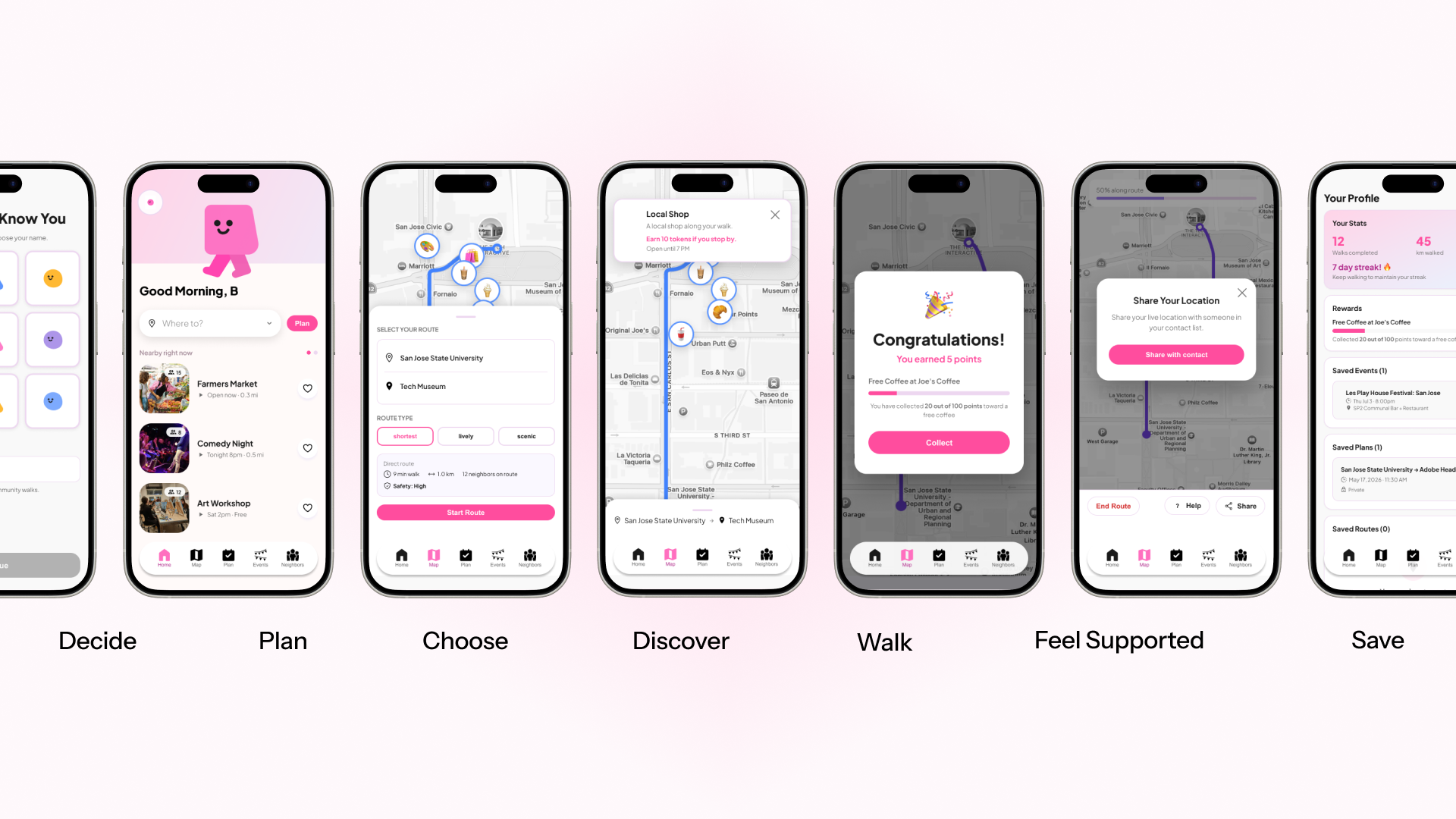
USER JOURNEY
Decide
The user wants to walk somewhere in Downtown
San José but wants more context before choosing a route.
Plan
They enter their starting point, destination, time, and privacy preference.
Choose
They compare route types: shortest, lively, or scenic.
Discover
They review nearby attractions, events, or places along the route.
Walk
The user begins the route and follows the selected path.
Feel Supported
During the walk, they can share their location or use Help Me if they feel uncomfortable.
Save and Return
After the walk, they can save plans, track progress, earn rewards, or find another walk.
A CONNECTED URBAN EXPERIENCE
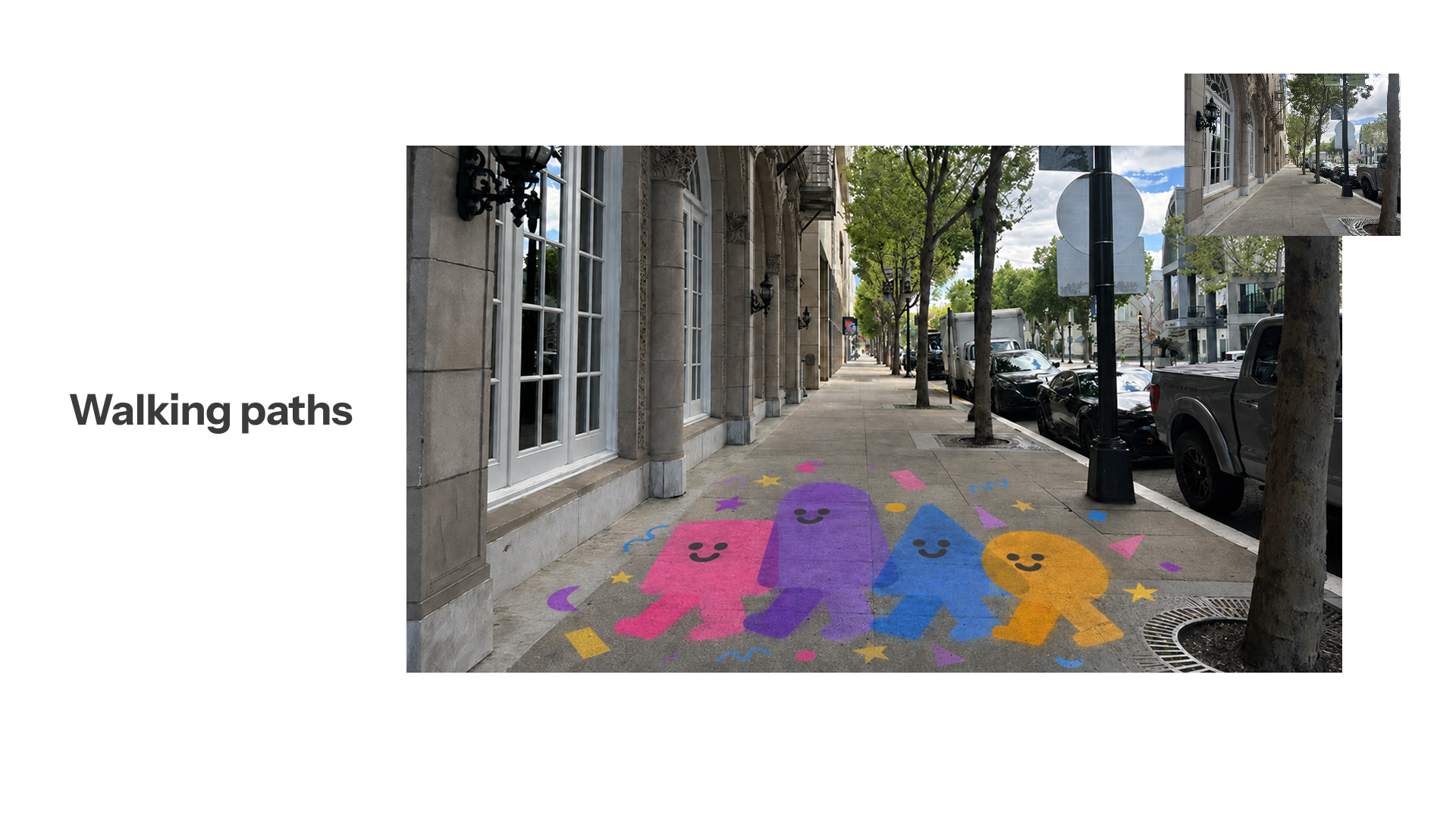
Stroll was designed as more than a mobile application. While the app helps users plan routes, discover events, and access safety features, I also explored how the surrounding environment could reinforce the experience.
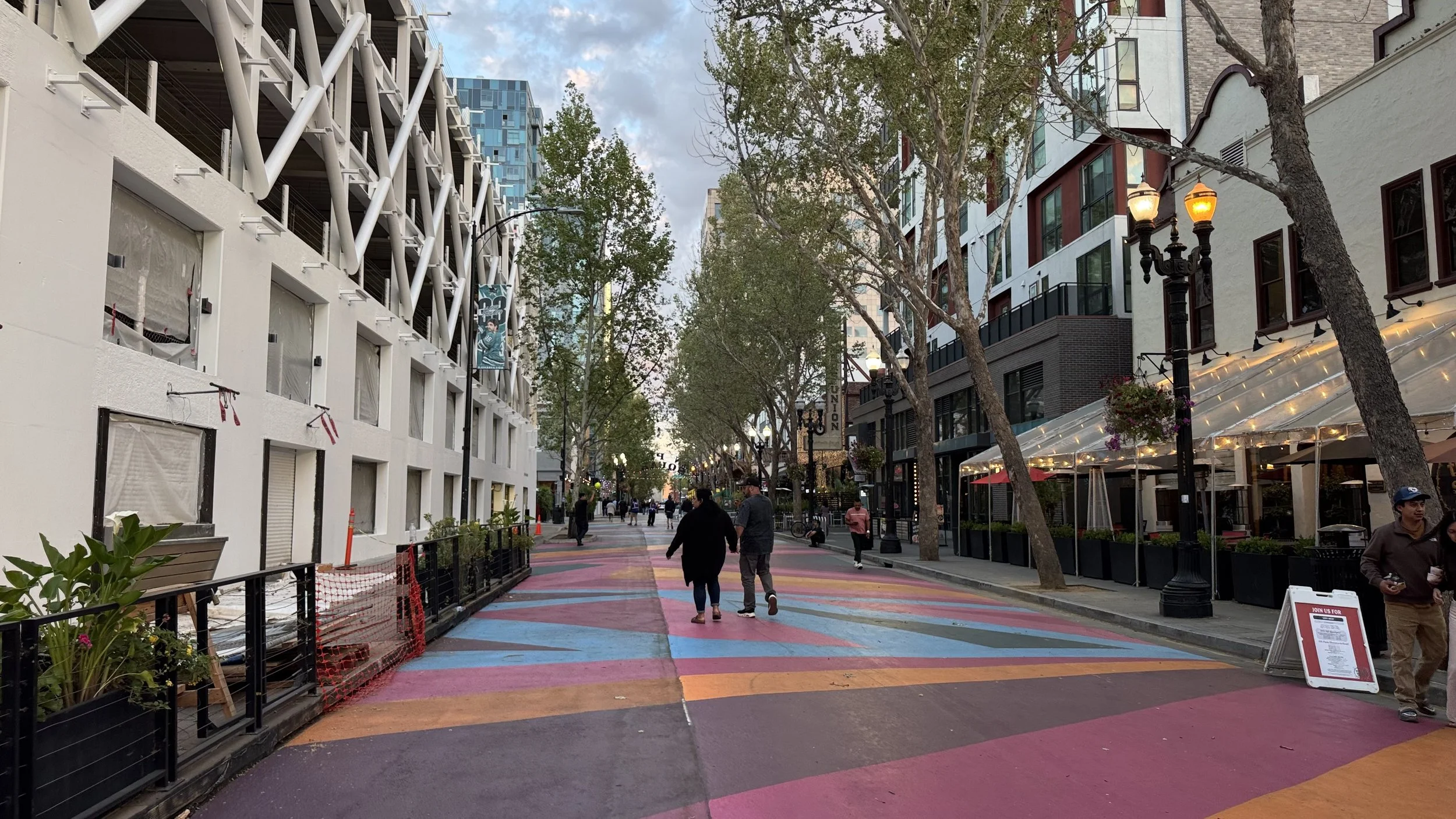
Research showed that an app alone cannot make a place feel safe. A user may receive route information, but their sense of comfort is still shaped by what they see and experience around them: lighting, public activity, visible landmarks, storefronts, artwork, and signs that other people care for the space.
The concept extends into the city through physical touchpoints such as colorful footpath artwork, illuminated storefront displays at night, and partnerships with local businesses and community spaces. These interventions help make routes feel more welcoming, recognizable, and connected to the neighborhood rather than relying on the app alone.
By combining digital interactions with environmental cues, Stroll encourages users to experience the city—not just navigate through it.

BRAND AND VISUAL DESIGN
The brand direction for Stroll needed to feel friendly, warm, and reassuring. Because the app deals with safety, the visual language needed to avoid feeling intimidating, clinical, or fear-based.
The app uses soft pinks, rounded cards, bright accent buttons, simple icons, and playful walking characters. This makes the experience feel approachable while still keeping the interface clear and functional.
The Stroll characters represent walking together, community presence, and a softer version of safety. They help the product feel less like an emergency app and more like a supportive companion.
The visual tone is:
friendly | soft | bright | community-centered | simple |supportive | playful | reassuring
VIBE CODING WITH CLAUDE
A major part of this project was using Claude to turn the design concept into a working prototype.
After defining the research direction, product flow, and visual design, I used Claude as an AI coding partner. I prompted Claude to build interface sections, create route states, add modal interactions, adjust spacing, refine layouts, and connect the overall app flow.
Claude helped with:
Building the mobile app interface
Creating reusable components
Prototyping route selection
Adding route type states
Creating event and neighbor walk sections
Building share and help modals
Testing layout and spacing changes
Turning static design decisions into an interactive experience
The design decisions were still guided by the research. Claude helped accelerate production, but I directed the product logic, user flow, visual hierarchy, and interaction behavior.
This process helped me explore how designers can use AI-assisted development without losing ownership of the experience.
CHALLENGES
One challenge was designing for perceived safety, which is personal and contextual. Different users may feel differently about the same route depending on time of day, familiarity, social presence, and past experiences. Instead of defining one “safe” route for everyone, I designed route types that give users more agency.
Another challenge was balancing community and privacy. Features like neighbor walks and location sharing can be helpful, but only if users feel in control. This is why privacy settings, public/private walks, and intentional sharing actions became important parts of the experience.
A third challenge was keeping the app supportive without making it feel scary. Because the project deals with safety, the interface could have easily become alarm-based. I chose a softer visual system and calm language so users feel reassured rather than afraid.
A final challenge was working with Claude as part of the design process. AI-assisted coding made iteration faster, but it required clear prompting and strong design direction. I had to be specific about layout, hierarchy, components, and interaction states to keep the prototype aligned with the UX goals.
FUTURE IMPROVEMENTS
Future improvements could include:
Adding a map API to make the experience feel seamless.
Testing the route type system with real users.
Creating a stronger onboarding flow.
Adding clearer privacy controls for public walks and location sharing.
Defining how “lively” and “scenic” routes are calculated.
Adding user preferences for lighting, crowds, accessibility, and walking pace.
Creating a trust system for neighbor walks.
Improving accessibility, contrast, and touch targets.
Adding filters for events and walks.
Testing whether rewards encourage repeat walking.
Connecting the app to real local event data.
Exploring partnerships with local museums, cafés, markets, and community organizations.
Connecting public art and neighborhood stories to locations within the app.
Expanding accessibility features for different walking needs.
REFLECTION AND LEARNINGS
Stroll helped me explore how UX design can support emotional safety, not just functional navigation.
The biggest design shift was realizing that the app should not simply help users get somewhere. It should help users decide what kind of walk feels right for them. This changed the product from a map-based tool into a walking companion.
The project also taught me that safety-centered design needs to be handled with care. A product can support safety without making users feel afraid. Small choices like route options, calm language, visible support actions, and friendly visuals can make the experience feel more empowering.
Using Claude also changed how I approached prototyping. Instead of stopping at static screens, I was able to test how the app might actually behave. This made me think more deeply about interaction states, spacing, navigation, and what happens between screens.
Stroll became both a UX research project and an experiment in AI-assisted product design. It showed me that vibe coding can be a powerful tool when the designer has a clear research foundation, product direction, and design intent.